
TM SIM Registration: Register Your TM SIM
TM SIM Registration: Register Your TM SIM
.
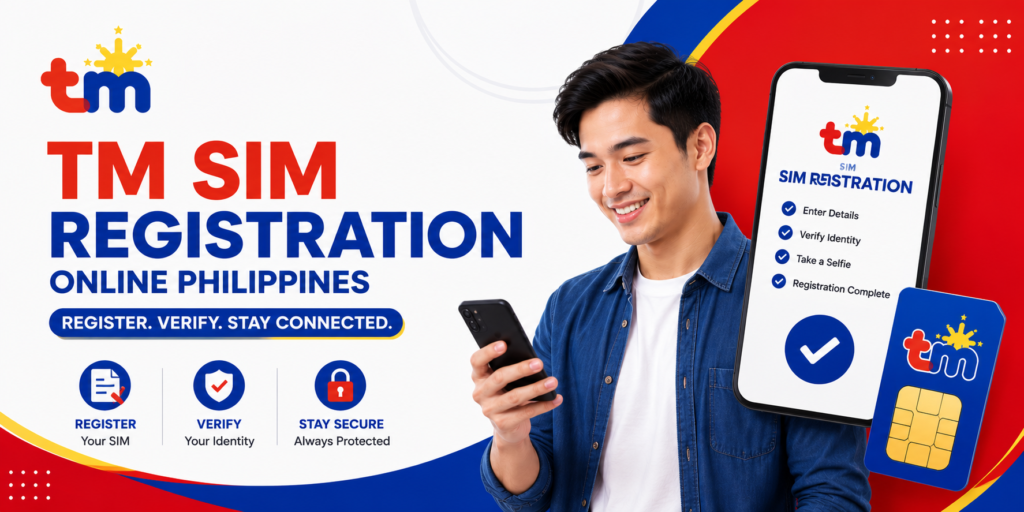
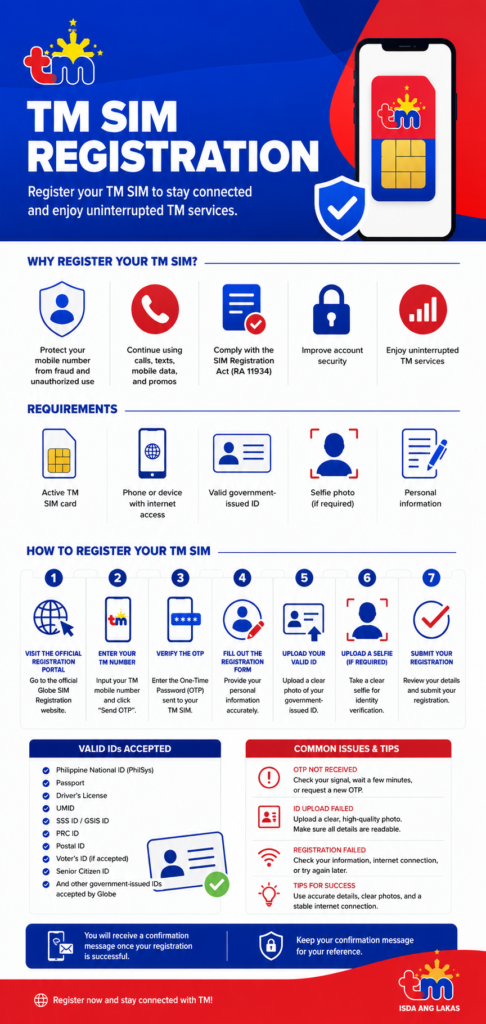
SIM registration is required for all Touch Mobile (TM) prepaid SIM users in the Philippines under the SIM Registration Act (Republic Act No. 11934). Registering your TM SIM helps protect your mobile number from fraud, identity theft, and unauthorized use while allowing you to continue using TM’s calls, texts, mobile data, and promos.
Since TM is a brand of Globe Telecom, all TM SIM registrations are completed through Globe’s official SIM registration portal.
This guide explains everything you need to know about TM SIM registration, including the requirements, valid IDs, step-by-step registration process, troubleshooting tips, and frequently asked questions.
What Is TM SIM Registration?
TM SIM registration is the process of linking your TM mobile number with your personal information through the official Globe registration system.
During registration, you’ll provide your personal details, upload a valid government-issued ID, and verify your mobile number using a One-Time Password (OTP).
Once your registration is approved, your SIM remains active and compliant with Philippine law.
Who Needs to Register a TM SIM?
The following users should register their SIM cards:
- New TM prepaid SIM users
- Existing TM prepaid subscribers (if required under current regulations)
- Globe prepaid users
- Globe At Home Prepaid WiFi users
- Foreign nationals using TM SIM cards
- Minors (through a parent or legal guardian)
TM SIM Registration Requirements
Before starting, prepare the following:
- Active TM SIM card
- Mobile phone or computer with internet access
- Stable internet connection
- Active TM mobile number
- Valid government-issued ID
- Selfie photo (if required)
- Personal information
Personal Information Required
During registration, you’ll typically need to provide:
- Full name
- Date of birth
- Gender
- Nationality
- Residential address
- Mobile number
- Valid ID details
Ensure that all information matches your identification document.
Valid IDs Accepted for TM SIM Registration
The following IDs are commonly accepted:
- Philippine National ID (PhilSys)
- Passport
- Driver’s License
- UMID
- SSS ID
- GSIS ID
- PRC ID
- Postal ID
- Voter’s ID (if accepted)
- Senior Citizen ID
- OWWA ID
- PWD ID
- IBP ID
- School ID (for eligible students)
- Other government-issued IDs accepted by Globe
Always check the official Globe SIM Registration portal for the latest list of accepted IDs.
How to Register Your TM SIM Online
Follow these simple steps.
Step 1: Visit the Official TM SIM Registration Portal
Open the official Globe SIM Registration website using your preferred web browser.
TM subscribers use Globe’s official registration portal because TM operates under Globe Telecom.
Step 2: Enter Your TM Mobile Number
Type your TM mobile number.
Click Register or Send OTP.
Step 3: Verify the OTP
Enter the One-Time Password (OTP) sent to your TM SIM.
The OTP confirms ownership of your mobile number.
Step 4: Complete the Registration Form
Provide the required information, including:
- Full name
- Date of birth
- Gender
- Nationality
- Residential address
- Other requested details
Review your information carefully before continuing.
Step 5: Upload Your Valid ID
Take a clear photo of your valid government-issued ID.
Ensure:
- The entire ID is visible.
- The image is clear and readable.
- There are no reflections or blurry areas.
Step 6: Upload a Selfie (If Required)
Some applicants may need to submit a selfie for identity verification.
For the best results:
- Face the camera directly.
- Use good lighting.
- Avoid wearing sunglasses or face coverings.
Step 7: Submit Your Registration
After confirming that all details are correct, submit your application.
You’ll receive a confirmation message or SMS once your registration has been successfully submitted.
How to Check TM SIM Registration Status
After completing your registration, you can verify its status by:
- Checking the confirmation SMS sent to your TM number
- Reviewing your confirmation email (if applicable)
- Logging in to the official Globe registration portal (if available)
- Contacting Globe Customer Support
Keep your confirmation message for future reference.
Can You Register a TM SIM Through the GlobeOne App?
Depending on the latest Globe services, some registration-related features may also be available through the GlobeOne App.
If supported:
- Download the GlobeOne App.
- Sign in using your TM number.
- Follow the SIM registration instructions.
- Upload your documents.
- Submit your application.
Check the latest version of the app for available features.
TM SIM Registration for Foreign Nationals
Foreign nationals can register a TM SIM, but additional documents may be required, including:
- Passport
- Valid visa
- Proof of address (if applicable)
- Return ticket or other immigration documents as required
Requirements may differ depending on residency status and applicable regulations.
TM SIM Registration for Minors
Minors can register a TM SIM through their parent or legal guardian.
The parent or guardian may need to provide:
- A valid government-issued ID
- Their personal information
- The minor’s information
- Additional supporting documents if requested
Common TM SIM Registration Problems
OTP Not Received
If you don’t receive the OTP:
- Ensure your TM SIM has network coverage.
- Wait a few minutes.
- Request another OTP.
- Restart your phone if necessary.
ID Upload Failed
If your ID is rejected:
- Upload a high-resolution image.
- Make sure all text is readable.
- Avoid glare or shadows.
- Capture the complete ID.
Registration Failed
Common reasons include:
- Incorrect personal information
- Poor internet connection
- Blurry ID image
- Temporary server issues
Double-check your details and try again later if necessary.
Registration Website Not Working
If the registration portal isn’t loading:
- Refresh the page.
- Try another browser.
- Clear your browser cache.
- Attempt registration during non-peak hours.
Benefits of Registering Your TM SIM
Registering your TM SIM offers several advantages:
- Continue using calls, texts, and mobile data
- Subscribe to TM promos without interruption
- Protect your mobile number from unauthorized use
- Comply with Philippine SIM registration requirements
- Improve account security
- Reduce the risk of SIM-related fraud
Tips for a Successful TM SIM Registration
- Use only the official Globe SIM Registration portal.
- Enter accurate personal information.
- Upload clear photos of your ID.
- Complete the registration using a stable internet connection.
- Save your confirmation SMS or email.
- Keep your registered information updated when required.
Frequently Asked Questions
Is TM SIM registration mandatory?
Yes. Eligible TM SIM cards must be registered under the Philippine SIM Registration Act (Republic Act No. 11934).
Is TM owned by Globe?
Yes. Touch Mobile (TM) is a prepaid mobile brand operated by Globe Telecom, so TM SIM registration is completed through Globe’s official registration system.
Can I register my TM SIM online?
Yes. You can register your TM SIM online through the official Globe SIM Registration portal.
Is TM SIM registration free?
Yes. Registering your TM SIM through the official Globe portal is completely free.
What happens if I don’t register my TM SIM?
An unregistered SIM may be deactivated in accordance with Philippine regulations, preventing you from using calls, texts, mobile data, and other TM services.
Can I register multiple TM SIM cards?
Yes. You can register multiple TM SIM cards, provided each registration complies with the applicable requirements and uses accurate personal information.
Can I update my registration details later?
If you need to correct or update your registered information, follow Globe’s latest procedures or contact Globe Customer Support for assistance.
Conclusion
Completing your TM SIM registration is quick and easy when you use the official Globe SIM Registration portal. By preparing a valid ID, verifying your mobile number with an OTP, and submitting accurate personal information, you can keep your TM SIM active and compliant with Philippine law.
Whether you’re a new TM user or registering an existing SIM, following the correct registration process ensures uninterrupted access to TM’s affordable calls, texts, mobile data, and prepaid promos. Always register through the official Globe platform and keep your confirmation message for future reference.